
Electrifying Education w/ BOLT+ and Sphero Central
June 8, 2026
Middle School Curriculum & Technologies
June 8, 2026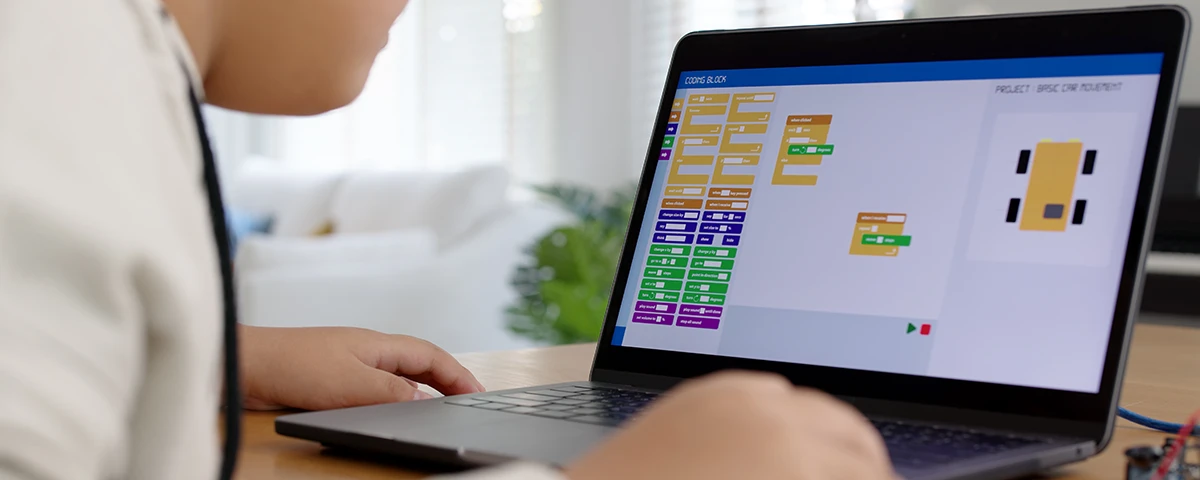
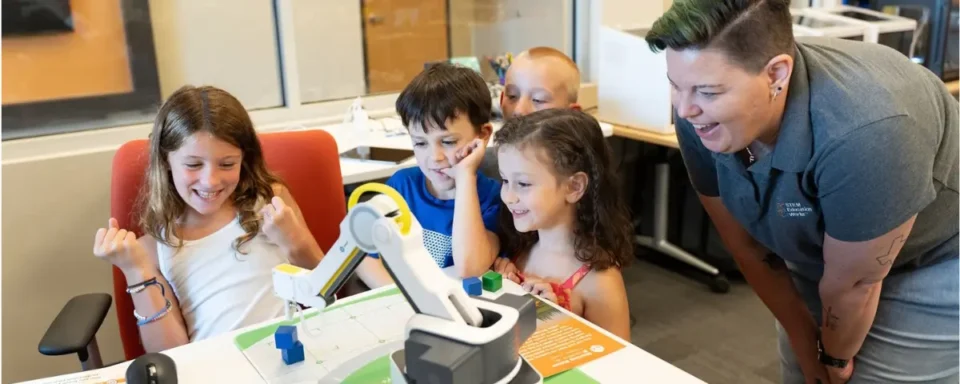
More and more states are requiring elementary schools to begin introducing computer science to their students. Block coding is a simplified version of most coding languages, so young learners can stay engaged and avoid challenging syntax errors. Teaching block coding to beginners can be intimidating, especially if you don’t have experience teaching computer science. But with plenty of preparation and support, you and your students can enjoy learning to code following these practical guidelines.
What is Block Coding?
Block coding is a form of visual coding where colorful blocks represent specific commands. Each of these blocks works like Lego blocks, and students just need to stack them in the right order to solve problems. Compared to written code, block code is much easier for students to understand. To fix problems in block code, students need to rearrange the blocks, rather than rewrite entire sections of code. These colorful blocks are also a great way for visual learners or students who aren’t strong readers to start coding. Block coding also builds computational thinking skills, as students can easily break down problems and identify patterns in blocks.
Starting Coding Without a Screen

For young learners, a computer screen or iPad can be a distraction rather than a tool for learning. Start your students off with unplugged coding. In your classroom, set up a maze on a grid and have your students use arrows to navigate it. Instead of just walking through the path, they have to think about turning right or left at a certain point or heading forward for two or three steps. They can complete the same task on a worksheet as well. Once they have mastered breaking down and solving problems step by step, your students will be ready to start block coding.
Understanding Block Coding
Part of what makes coding so intimidating to beginners is the extensive vocabulary involved, so here are some important terms that you and your students should know before you get started.
- Algorithm: the set of steps used to solve a problem
- Sprite: a graphic that is made up of a series of frames
- Boolean: a value that has only two possible options: true or false
- Bug: a mistake or problem in a computer program
- Loop: a repeating set of instructions
- Syntax: the rules about how commands are written
- Conditionals: statements that only run under certain conditions
- Workspace: the white area where you drag and drop commands to build your program
Once you know the basics, you’re ready to start block coding! In general, there are six types of blocks that differ by the operation they perform. Event blocks define the triggers for when the script should run. Without these blocks, the rest of your code won’t run. Usually, these blocks rely on the user pressing a key to trigger the rest of the code. Next, motion blocks allow users to control the movement and positioning of objects (often called sprites) within the program. Robots often use these commands to move, turn, or pick something up. Control blocks are similar to motion blocks, but they control a robot’s movement only under certain conditions. By inserting conditional (if/then) statements, you can make sure that the robot will only move after a certain event has already happened. To add some math to your code, you can add operator blocks. These blocks perform calculations such as addition, subtraction, multiplication, and division. Using these blocks, your students can have the program choose a random number between 1 and 10 and perform different actions based on the chosen number. Sensor blocks allow the program to gather information from user actions, sensor data, or system properties. These blocks are crucial for creating programs your students can interact with, bringing the code to life in front of them. Finally, sound blocks allow students to add audio elements to their programs, enhancing the overall experience.
Applying Block Coding to the Real World

Throughout your lessons, try to integrate real-world situations where programming is necessary to keep society functioning. For example, stoplights use sensors that detect vehicles and change the light based on whether a car is present. For more real-world experience, try bringing your students on a field trip to local technology companies or innovation centers so they can see firsthand how coding is used across industries. Even having a guest speaker from a STEM field can bring relevance to what students are learning and get them excited about a future career in STEM.
Building Coding Confidence
Block coding gives students an accessible way to explore computer science without feeling overwhelmed by programming languages. By starting with simple, unplugged coding activities and gradually introducing coding concepts, teachers can help students build confidence step by step. As students experiment with loops, conditionals, and sensors, they begin developing computational thinking skills that will help them beyond the classroom. In many states, computer science standards are expanding, so starting early is a great way to prepare them for future challenges. With hands-on block coding activities, your classroom can become a space where students feel encouraged to explore, test ideas, and grow their coding skills.
STEM Education Works is dedicated to providing cost-effective and user-friendly access to top-notch STEM curricula and technologies, driven by our mission to transform students’ lives. Learn more about what we do through our socials, Facebook, Twitter, Youtube, LinkedIn, Instagram, and TikTok.