
Making Project Based Learning Work in Your Classroom
April 8, 2026
What is a nerd?
April 28, 2026
Do you want to get your students involved in 3D printing? Even if you don’t have access to a 3D printer, getting young learners to think and design objects is a great way to develop spatial awareness and problem-solving skills. Tinkercad is a free platform where students can experiment with design, ideal for computers or iPads.
What is 3D Printing?
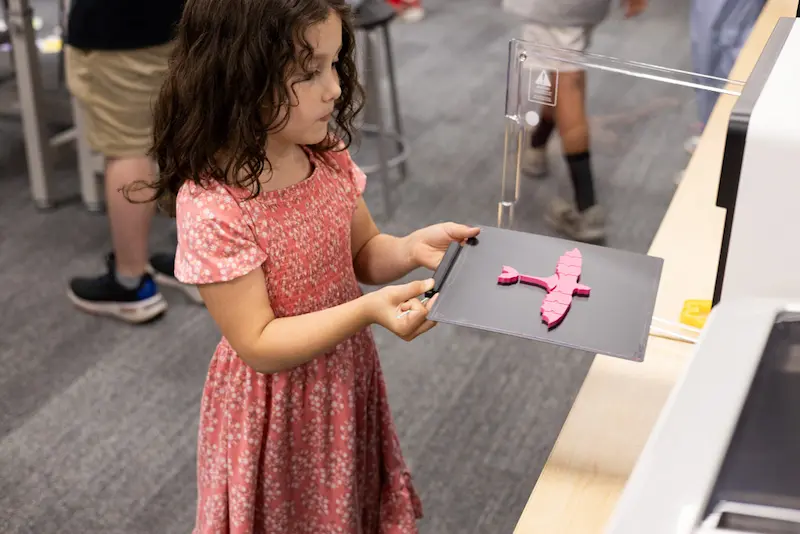
3D printing is a process where layers of material are added to create a three-dimensional object. It’s an additive process where objects are created from scratch. 3D printers print from the ground up, using plastic filament to make the design layer by layer. Design files are saved with information for every layer, and the 3D printer carefully lays down filament according to the design’s specifications.
3D Printing Basics
When creating a design for a 3D printer, there are a couple of things to keep in mind to make sure your creation turns out as planned. Firstly, the file type is important. In the design process, saving your work as a .stl file ensures you can go back and edit it. Unfortunately, most printers are unable to print from an .stl file, so you will need to convert your work into a .gcode file. You cannot edit .gcode files, so it’s best practice to save converting it until you’ve completely finished editing your design.
To ensure your design doesn’t collapse during printing, it must be properly supported. Some pre-made designs already include supports that you can remove after the design has fully printed. Larger designs or designs with layers not supported by previous layers will need supports to prevent the design from drooping or collapsing. This is a trial-and-error process, and beginners will need help with it at first.
If you’re brand new to 3D printing, here are some important terms to know to make sure that your designs come out as intended.
Terms to know
Infill is the internal structure that helps a 3D object hold its shape and increase its durability. By increasing the density of the infill, printed objects will be more sturdy and heavier, and vice versa.
Shells are the outside walls of a design. They are the perimeter or the “skin” of the design.
Rafts are the first layer printer that helps the creation stick to the build surface and stabilize the design.
Overhangs are layers that are not supported by the layers beneath them. If the overhang exceeds 68 degrees, it must be supported to prevent collapse.
Bridges are supported on both sides but lack any bottom support. A bridge will need support to make sure the design does not droop.
What is Tinkercad?
Tinkercad is a free application that allows educators to assign 3D design projects to students and let them experiment in a 3D workspace. It is cloud-based, so you can access it from any device. It’s user-friendly, so students of any level can get started with ease.
After making an educator account, you can explore various tutorials under the website’s resources section. The Learning Center features tutorials on everything from basic movement mechanics to advanced design features.
To get started, click Create to design our own 3D object. You can build from scratch or explore pre-made shapes, letters, and structures. You can move, rotate, and resize any object to create exactly what you want.
Setting up Your Class
To get started using Tinkercad in your classroom, sign up for an educator account and create a class using the classes tab. You can name your class and customize it to any grade level and subject. Add students to your classroom manually, or let them join via a link.
In class, you can create activities by uploading 3D designs that your students can customize and build on. Tinkercad includes many projects that you can easily incorporate into your lessons. If you’re looking for more options, thingiverse.com is a great free resource to download designs made by other people. Although this is a great resource, be cautious about letting your students explore because many designs are not appropriate for an educational environment.
Classroom Activities
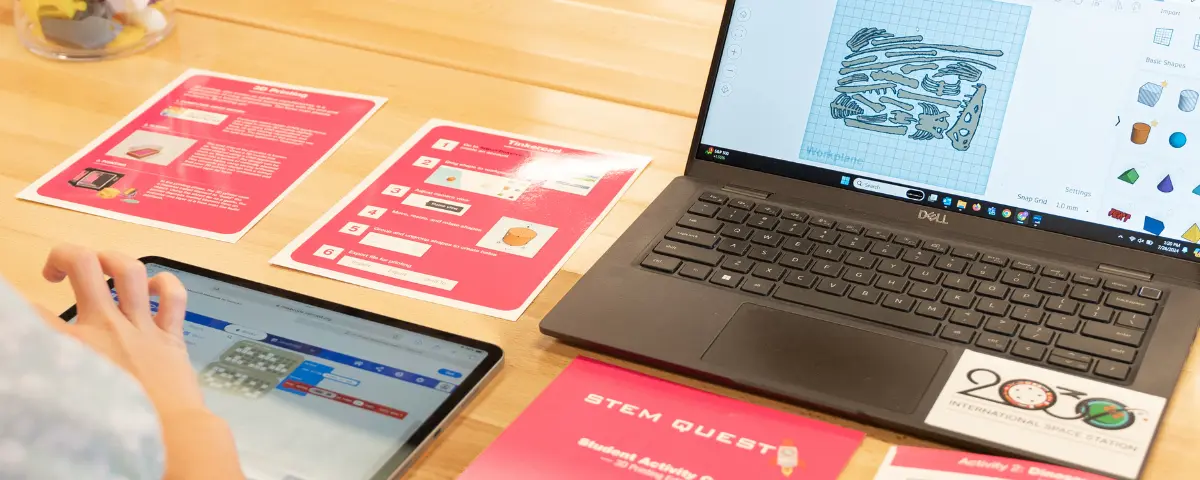
Outside of Tinkercad, STEM Education Works provides activities that easily integrate into your classroom and are customized for any grade level. If you’re looking to get started with 3D design, our STEM Quest activity cards are a perfect way to have students solve problems and think three-dimensionally.
If you’re planning on bringing a 3D printer into your classroom, our team can help you get started. Once you’re set up, we also provide training and curriculum designed to integrate seamlessly into the classroom.
Engaging Students in 3D Design
With Tinkercad, teachers can introduce students to 3D design with or without a 3D printer. Students can build spatial reasoning and problem solving-skills using the technology your school already supports (laptops, iPads, etc.). With built-in tutorials and flexible project designs, 3D design can easily fit into your program. If you’re looking for additional support, explore our curriculum, which offers lessons and quick activities to fit your schedule. When paired with a 3D printer, students can hold their creative designs in their hands. Students are excited to keep designing and refining, strengthening engagement with measurable skill development.
STEM Education Works is dedicated to providing cost-effective and user-friendly access to top-notch STEM curricula and technologies, driven by our mission to transform students’ lives. Learn more about what we do through our socials, Facebook, Twitter, Youtube, LinkedIn, Instagram, and TikTok.